Setting up your eSIM on Android at your destination
You should set up your eSIM on the plane or once you've arrived at your destination.
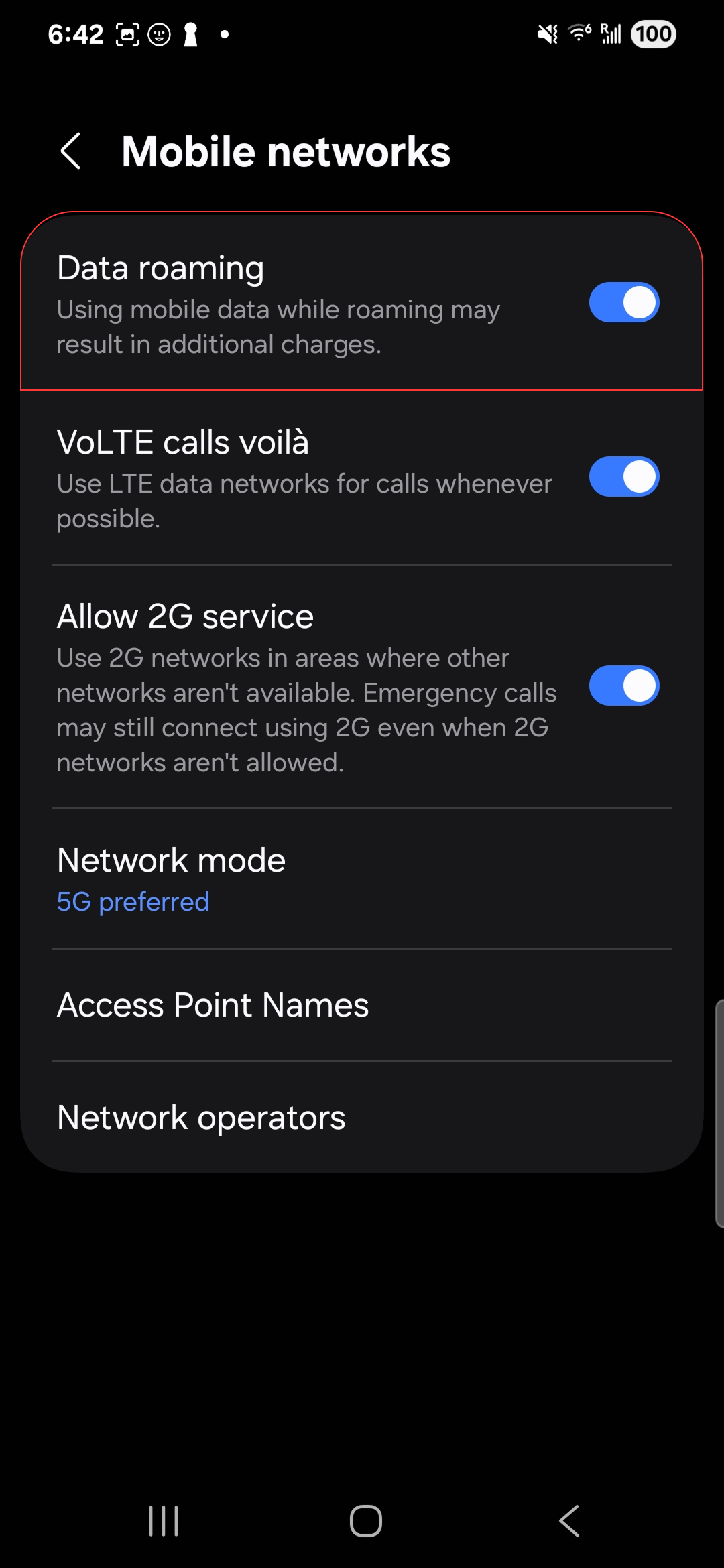
Once you've installed your eSIM, go to Settings > Connections > Mobile Networks, then:
1
Deactivate your current SIM.
2
In your eSIM settings, enable data roaming.
On some Android phones, you also need to manually configure the APN for the connection to work: follow the dedicated section of the complete Android guide.
If you still don't have any signal after these steps, contact our support on WhatsApp: we'll guide you live.